Profile, notifications, your data, and deleting your account
Update your details, choose email preferences, and download your data under KVKK.
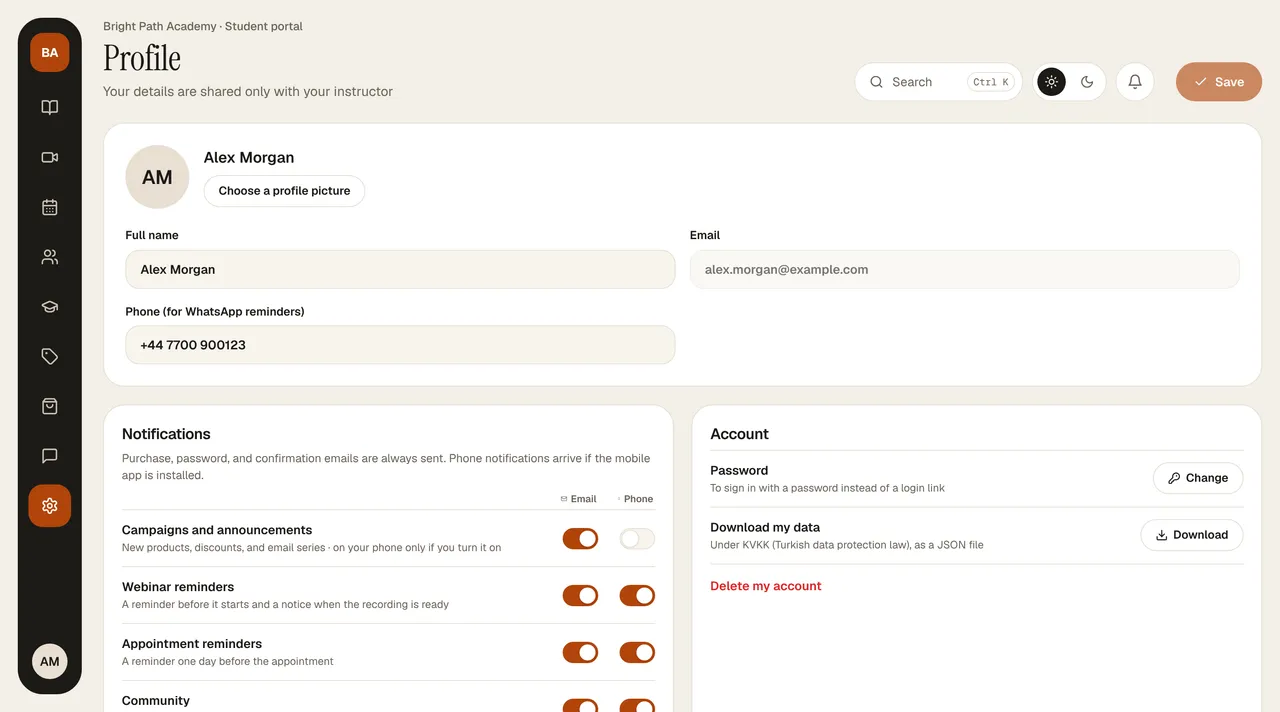
- Personal information: full name and phone (for WhatsApp reminders). Choose profile picture opens a set of ready-made pictures. The email address can't be changed. Save your changes with Save in the header; if there are no changes, the button stays dimmed.
- Notifications: Promotions and announcements, Webinar reminders, Appointment reminders, Community, Course switches. Turn off the ones you don't want; it is saved immediately. Purchase receipts, password emails, and confirmation emails are always sent.
- Account › Password › Change: current password + new password (at least 8 characters, 1 uppercase letter, 1 number).
- Download my data: downloads a record of your personal data held by this instructor, as JSON.
- Delete my account: asks for your password in the window that opens; your personal data is anonymized and this action can't be undone. Invoice records that must be kept by law are retained for the legally required period.
- My phones: the phones where your account is signed in on the mobile app; use Sign out on a device you don't recognize.
For details of your rights, see your KVKK rights (KVKK is the Turkish Personal Data Protection Law No. 6698).