Community: forum, chat, and members
The space where your students talk to each other and to you.
The header shows the member count, this week's posts, and the number of questions awaiting a reply; Make an announcement opens the new topic window. The right column has the channels (with topic counts), community health (weekly active member rate, average first response time, unanswered topics), and AI Coach for questions awaiting a reply; AI Coach writes reply drafts that fit the course content, and you write under the topic yourself.
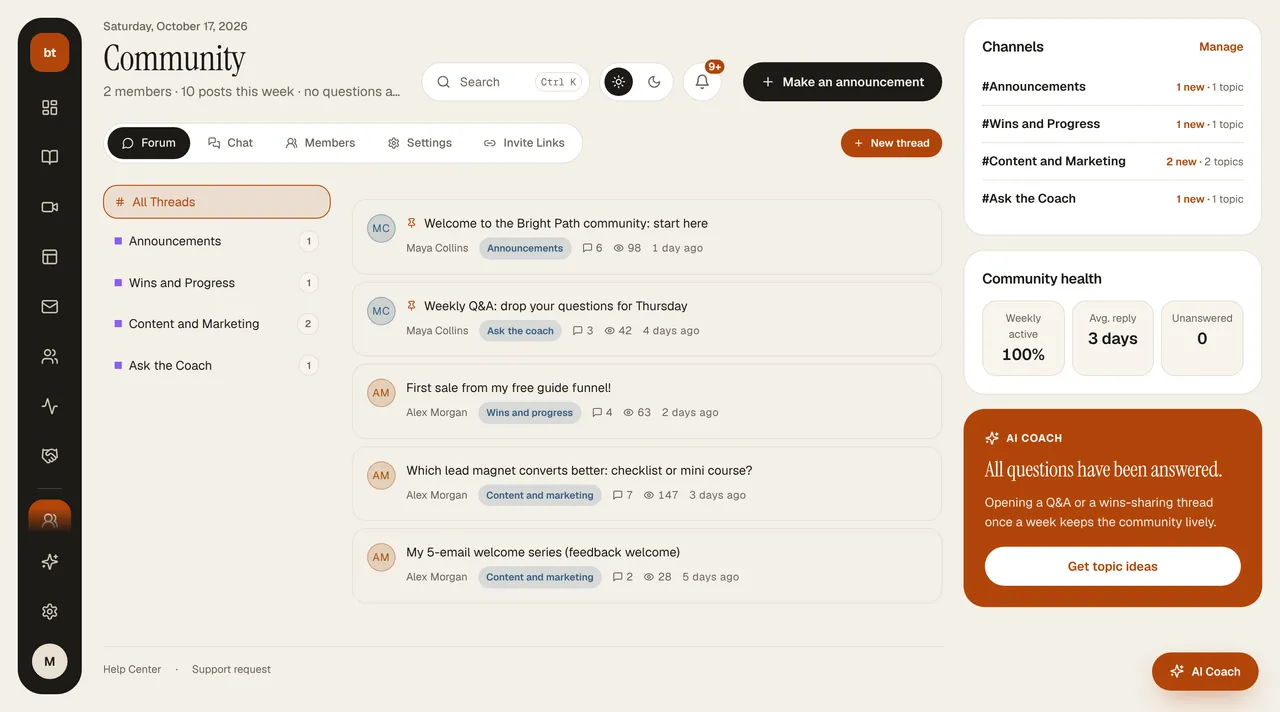
- Forum: Q&A and sharing under topic headings.
- Chat: a real-time messaging channel.
- Members: the people in the community, their levels, points, and a ranking of the 10 most active members.
- Invite Links: if you like, you create an invite link with a usage limit; a link whose uses are exhausted shows as “Full.”
- Settings: forum categories and chat rooms; for each, you choose “Members Only” or “Public.” Public categories are also visible to visitors who haven't registered.
Why it mattersIn programs with a group and cohort structure, the completion rate is much higher than in self-paced courses. Community and cohort give the best results when used together.