Certificates
The design and rules of the certificate issued when a course is completed.
In Courses › Certificates, you choose one of the ready-made templates (Classic, Minimal, Modern) or add your own HTML/CSS template; you preview it and save. When a student completes all the lessons in a course, the certificate is created automatically, appears in the Certificates section of their portal, and can be downloaded as a PDF.
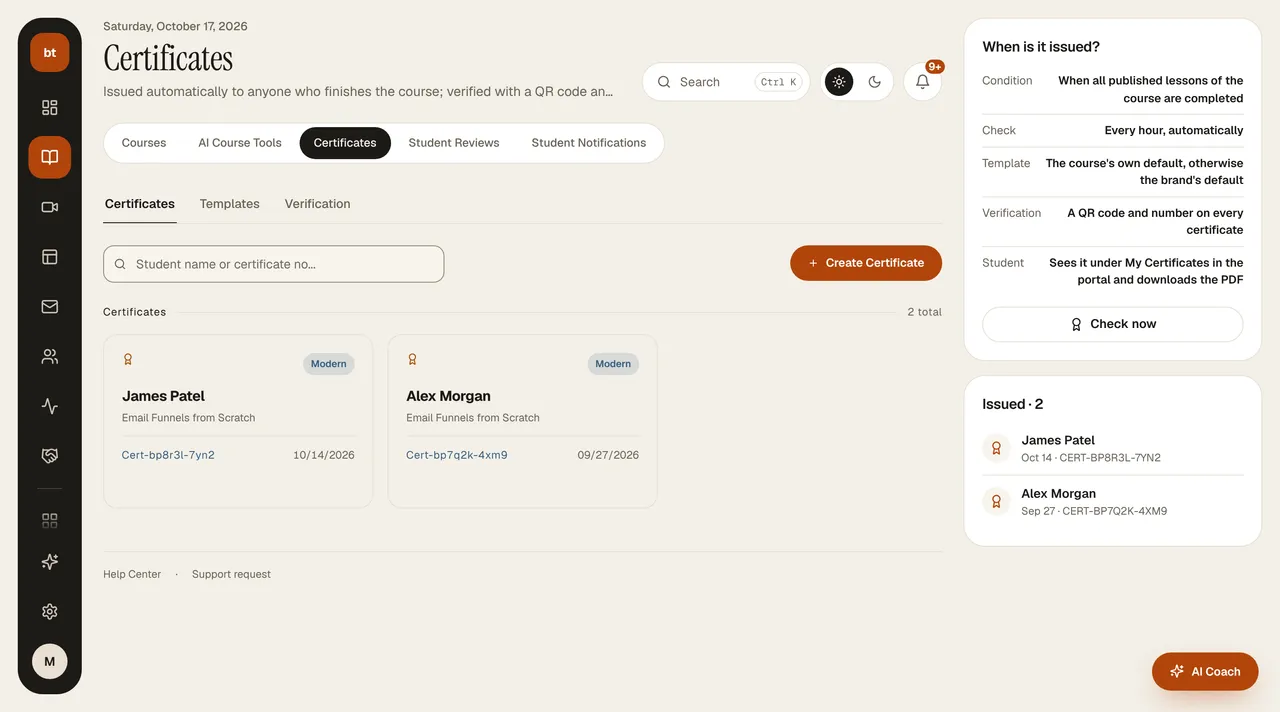
The right column has the When is it issued? rules (condition, hourly check, template order, QR verification) and the Check now button; it issues the certificate to a student who has just finished the course without waiting for the hourly check. Below that is Issued: the most recently issued certificates and the total count.
Verification
Each certificate shows its number and verification address at the bottom. Anyone who sees the certificate (an employer, a client) can enter the number on the bilgiticareti.com/sertifika/dogrula page to see that the certificate is genuine, who it was issued to, for which course, and when. The page shows only the name, course, school, instructor, and completion date; information such as email is not shown.