Student reviews
Collect real student ratings and reviews and show them on your pages.
Students enrolled in your course give a 1–5 star rating from the course screen in the portal and can add a short review if they like. The portal doesn't ask for a rating until the student has completed about one fifth of the course; each student can leave one review per course and can update it later.
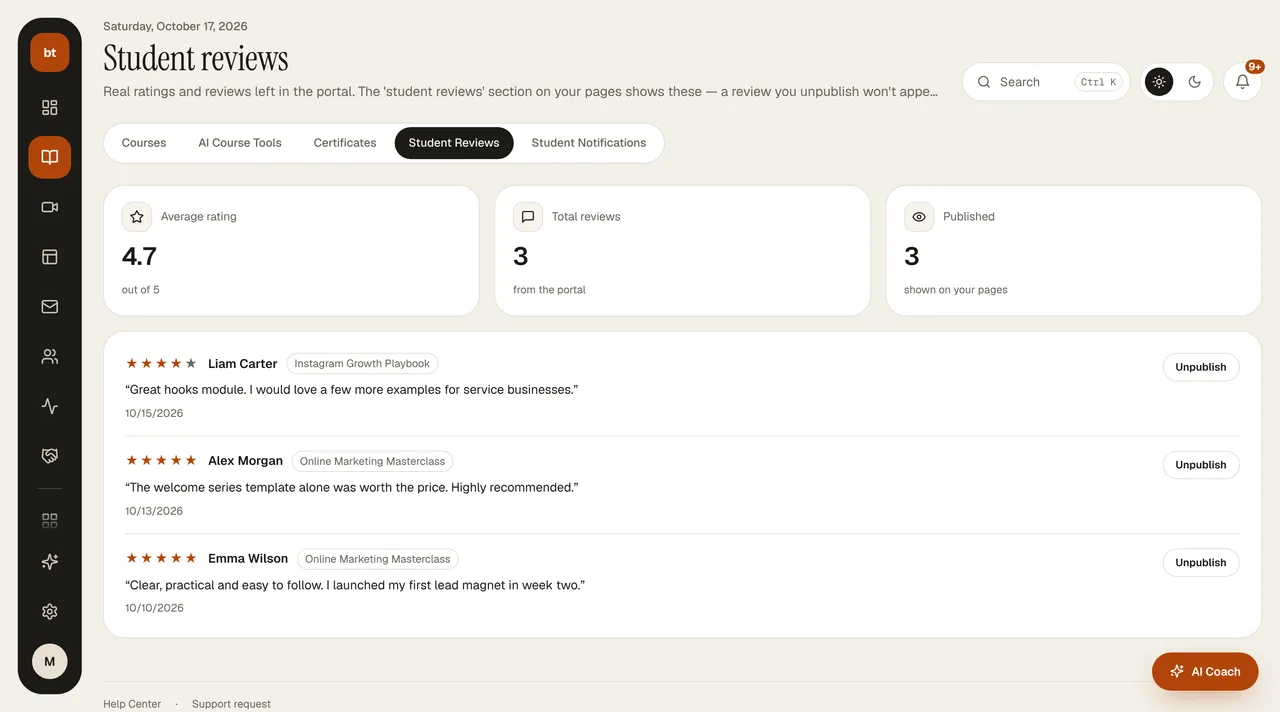
- In Courses › Student Reviews you see the average rating, the total number of reviews, and the number of published reviews.
- You can hide a review you find inappropriate with one click and republish it whenever you want. The author of a hidden review sees the note “Your review is not currently visible on the page” in the portal.
- To add a reviews section to your sales page, type “Add student reviews” in the revision box in Page Studio, or use the suggestion chip. The section only shows real, published reviews; if there are none, it stays empty and no made-up reviews are written.