Appointment reminder didn't arrive
Confirmation status, timing, preference, and addresses.
Two automatic reminder emails go to your client: 24 hours before and 1 hour before the appointment. If the appointment was booked less than 24 hours ahead, only the 1-hour reminder is sent.
What to check
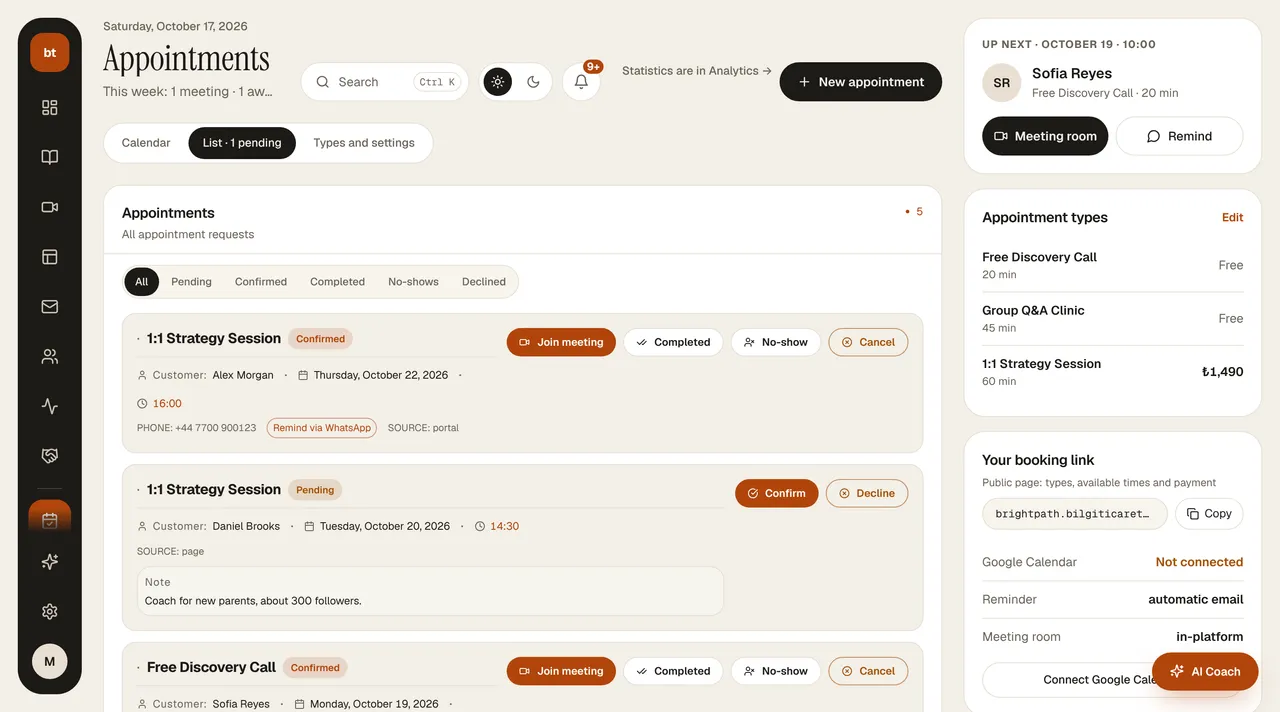
- Is the appointment confirmed? Reminders go only to confirmed appointments. If automatic confirmation is off, you need to approve the appointment from the Appointments list. No reminders are sent for canceled appointments.
- Is the email address correct? Check the customer's email on the appointment card. If there's a typo, have the client book again with the correct address.
- Did the client turn off reminders? In their portal, under Profile › Email notifications, customers can turn off Appointment reminders. If they did, no email is sent.
- Spam folder. Ask the client to check their junk/spam folder. If this happens often, see Emails aren't arriving or are going to spam.
WhatsApp reminder
If you've connected your own WhatsApp Business number under Appointments › WhatsApp Reminder, a WhatsApp message is also sent to the client about 24 hours before the appointment. If it isn't connected, you can send a reminder manually with the Remind on WhatsApp button on the appointment card; the client's phone number must be on file for this.