Meta Pixel and Google Analytics
Add your own tracking codes to your pages.
In Settings › Measurement, enter your Meta Pixel ID and your GA4 measurement ID. The codes load only on your pages and only with your ID. You track ad conversions through these codes.
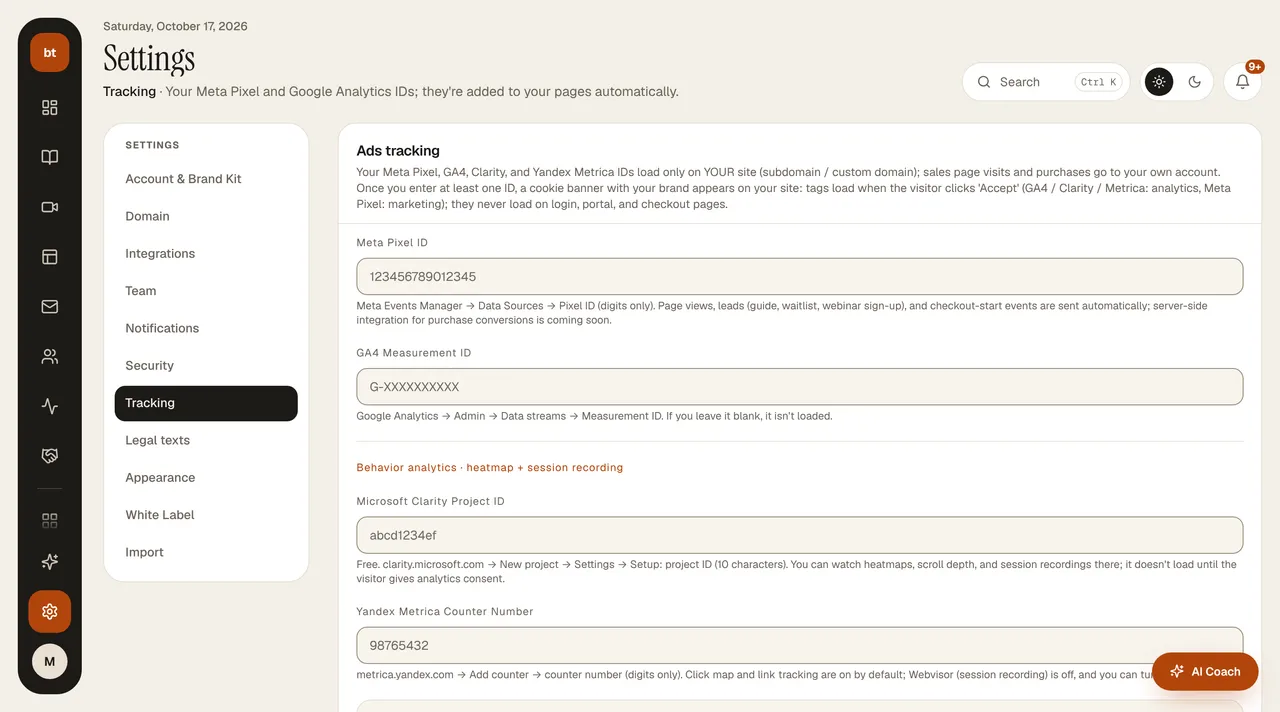
Your tracking codes are not loaded on the login, password reset, student portal, checkout, and webinar join pages; the personal information and connection tokens on these pages never go to tracking tools.
Cookie consent is automatic
When you enter at least one tracking ID, a cookie banner with your brand name and accent color appears on your site (subdomain and custom domain) with Reject, Accept, and Preferences. No tracking code loads until the visitor accepts; Google Analytics, Microsoft Clarity, and Yandex Metrica depend on "analytics" consent, and Meta Pixel on "marketing" consent. If the visitor rejects, not a single request goes to these providers. The visitor can change their choice later with the Change cookie preferences button on the Privacy Policy page of your site. If you haven't entered any ID, the banner doesn't appear either.
Yandex Webvisor (session recording) is off by default. You turn on Webvisor, which records mouse movement and the screen, with the switch in Settings › Measurement; when you turn it on, it is automatically written into your privacy policy as "session recording". Because information entered in forms may end up in the recording, turn it on only if you really need it.
Your privacy policy updates itself. The cookie section of the /gizlilik-politikasi page on your site lists only the providers you use, and their categories, based on the IDs you entered.