Publishing and connecting a domain
The difference between draft and live, page addresses, your own domain.
Publishing
- When you press Publish in Studio, the draft goes live and the page updates within a few seconds.
- Your pages are published at
yourbrand.bilgiticareti.com/p/page-name. - A visitor who types
www.yourbrand.bilgiticareti.comis redirected to the same address; you don't need to do anything for that. - If you've reached your plan's limit on published pages, you need to unpublish a page or upgrade your plan first.
Your own domain
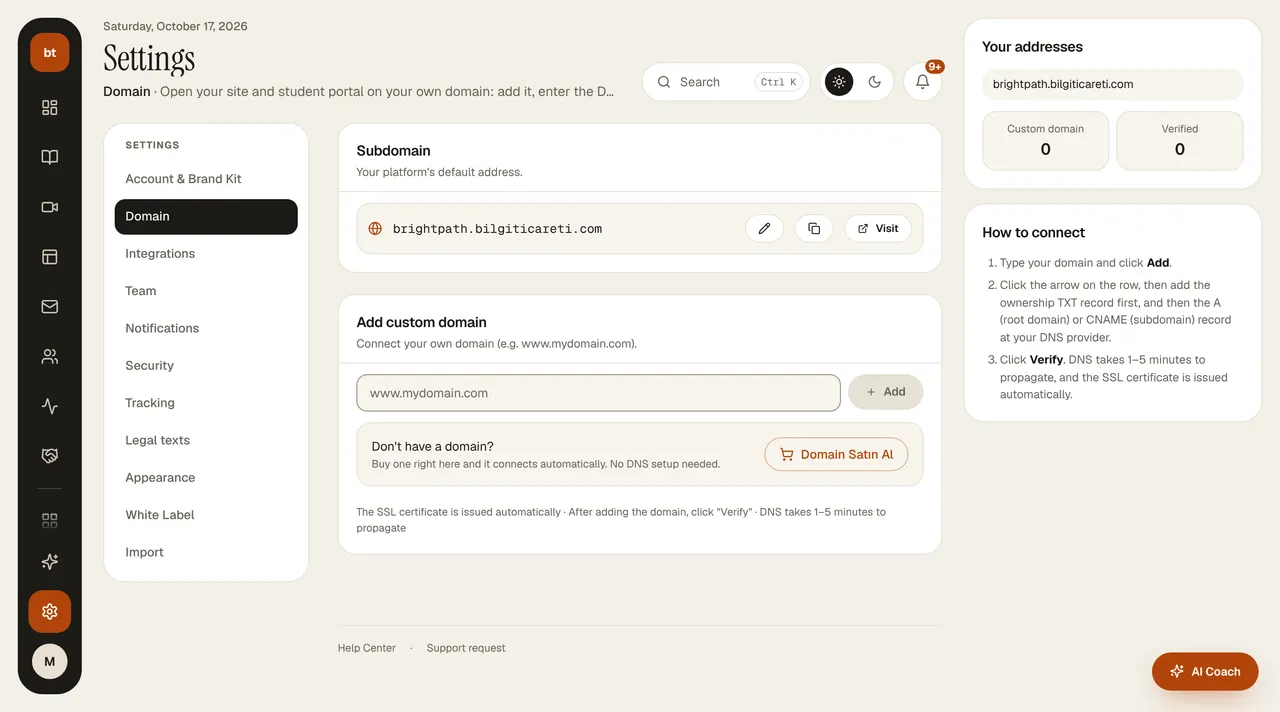
On the Girişimci, Profesyonel, and Kurumsal plans, you can connect your own domain (for example, myacademy.com). In Settings › Domain, you add the DNS record the dashboard shows to your domain provider; when verification is complete, your pages open at that address. This feature is turned off on the trial and the Başlangıç plan.
Search engines and share cards: your pages' tab title, share (Open Graph) card, and canonical address carry only your brand and domain; no “Bilgi Ticareti” suffix appears. On a custom domain, either www or the root address is primary and the other permanently redirects to it; your site's root address permanently (308) redirects to your home page.
Ownership verification: after adding your domain, add the _bt-dogrula.<your domain> TXT record shown in the dashboard to your DNS and press Verify; the domain doesn't go live until ownership is verified. You can connect up to 5 domains per account.