Mobile and desktop apps (coming soon)
iPhone, Android, Mac, and Windows apps: when, what's coming, how to get notified.
The Bilgi Ticareti mobile app is being prepared for App Store and Google Play review. Work on the desktop app (Mac and Windows) has begun. For now, everything works in the browser at bilgiticareti.com; when the apps come out, you'll sign in with the same account.
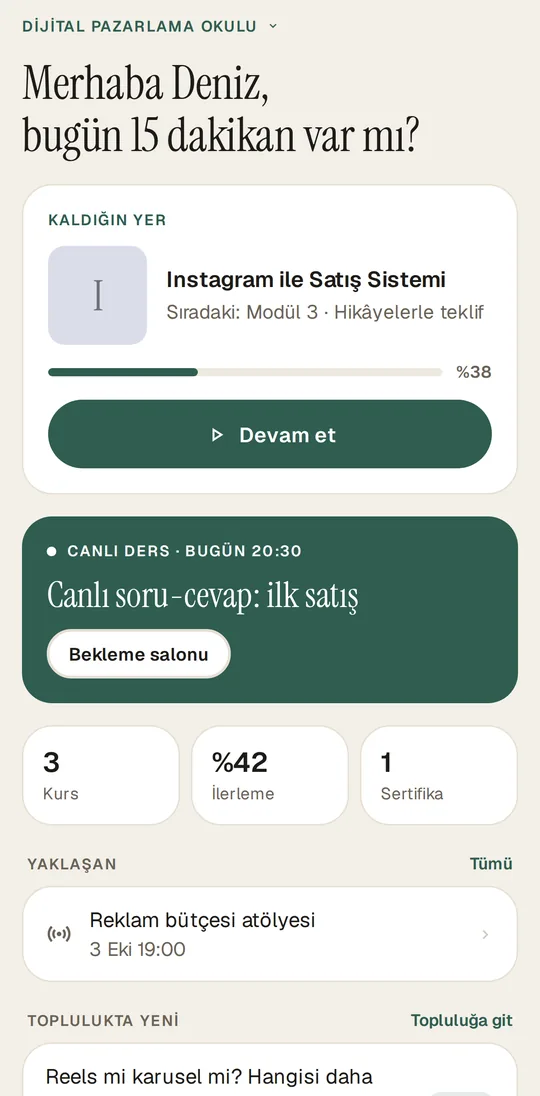
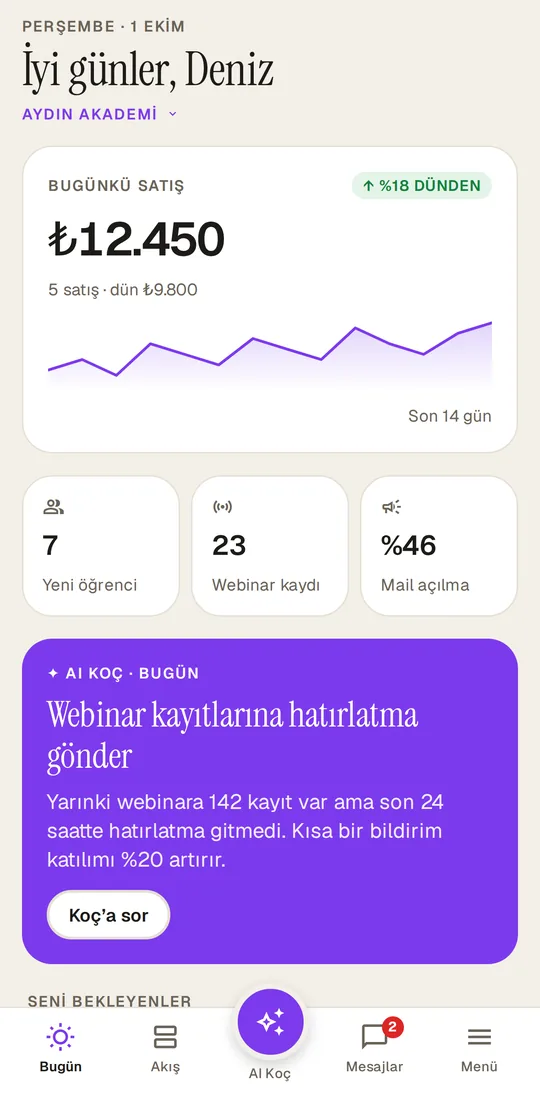
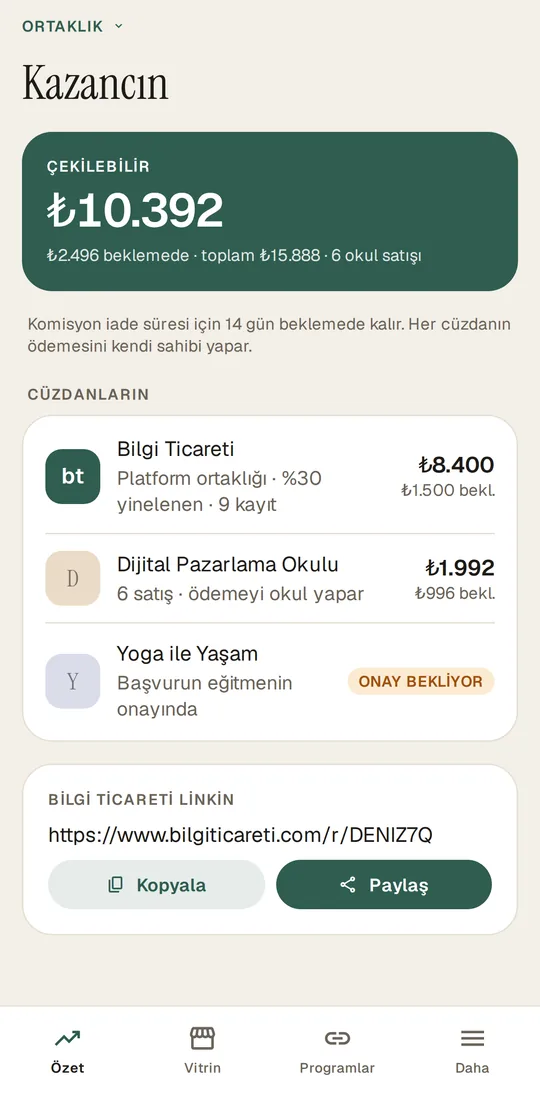
One app, three spaces
- Learning (students): continue from where you left off, download lessons to watch offline, join live classes and webinars, certificates, community, and support.
- My School (entrepreneur and team): today's sales, new students, messages, bank transfer approval, appointments, live stream management, and AI Coach. Editing courses, pages, and email stays in the web dashboard.
- Affiliate: share the courses in the showcase with your own link, a separate balance at each school, and payout requests.
The app shows whichever spaces you have; after signing in, you switch from the My spaces screen. No sales are made in the app: courses are purchased from the school's website.
Desktop app
A desktop version for Mac and Windows that runs in its own window and has notifications is in development. For now, the dashboard works the same way in the browser.
Getting notified when it launches
In the Apps section on the home page, leave your email; you can choose which platforms you want to hear about (iPhone, Android, Mac, Windows). You'll get an email when the apps are released in the stores and when there's progress on the desktop version. Updates are also announced on the What's new page.