Automated webinars (24/7) and replays
Turn a recorded presentation into a webinar that can be watched at any time.
An automated webinar plays a pre-recorded video 24/7: people who register start right away with Watch Now, without waiting. It's the easiest way to keep selling after your live webinar has ended.
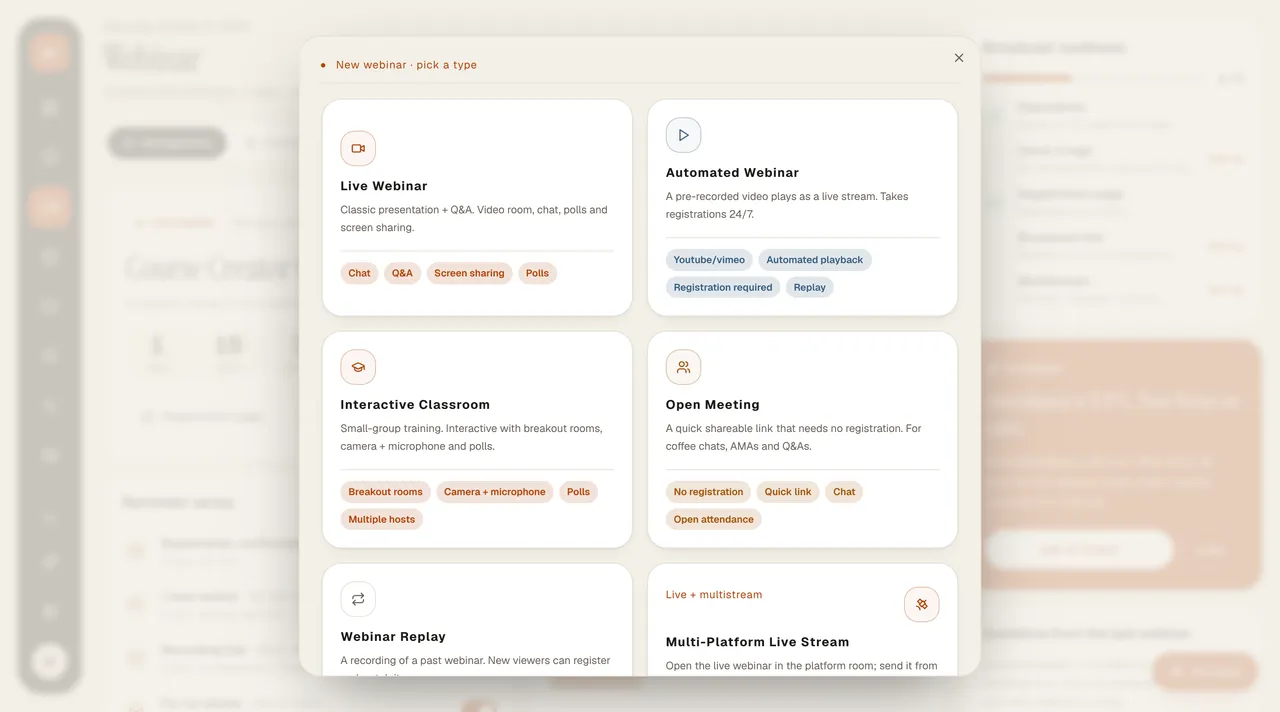
Automated webinar from scratch
- Press Webinars › New Webinar and choose Automated Webinar when selecting the type.
- In the Video field, choose a video from the Asset Library or paste a YouTube/Vimeo link.
- Write the title and description, then save. The registration page is ready at
/w/webinar-name; if you like, you can also generate a separate registration page with Page Studio.
Video from your presentationTo turn your presentation into a video with a voiceover and link it directly, use Presentations › (presentation) › Present live and record › To automated webinar.
Converting a live webinar to automated
- In the webinar list, press Convert to Automated on your live webinar's row.
- Enter the link to the stream's recording (YouTube/Vimeo). The webinar switches to the automated type and the registration page keeps working at the same address.
Replays
If you turn on Replay active on a live webinar, the recording is opened to registrants when the webinar ends. You link the recording with Add Recording on the webinar row; if you used multi-stream, the recording of the last stream is automatically linked to the replay address.
Automated webinars are included in the Başlangıç plan and above on the plan cards.