AI chatbot on your site
Answers your visitors' questions and hands off to you when needed.
On your pages, the chatbot answers visitor questions based on your product information. When it can't answer, or when the visitor wants to talk to a person, it hands the conversation off to you; handed-off conversations appear as “Handed off” in the Conversations tab of the Customer Chatbot screen, and you can see the breakdown of handoff reasons in the Analytics tab.
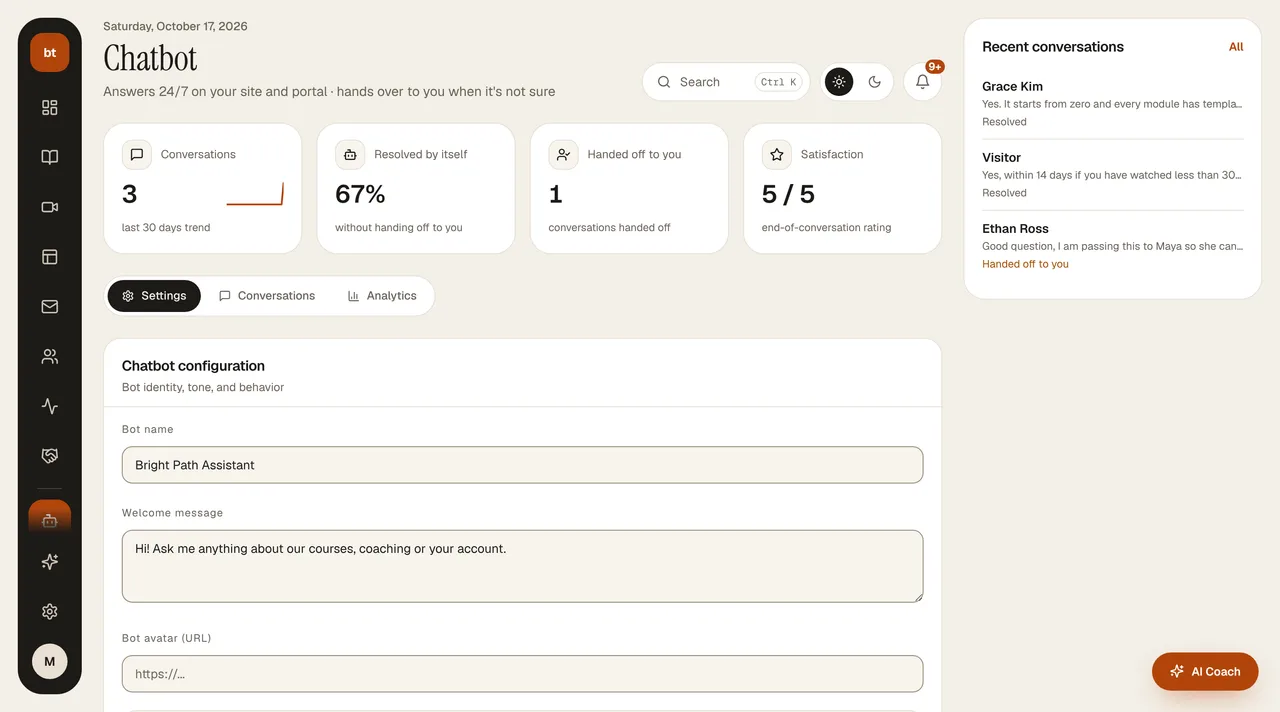
You set working hours and the welcome message in the chatbot settings. The chat bubble on your site uses your site's brand color; you change the color in Brand Kit.
At the top of the Customer Chatbot screen are four indicators: total conversations (with a 30-day trend), the rate the bot resolved without handing off to you, the number of handed-off conversations, and the satisfaction score. On the right are recent conversations and the most frequently asked question; adding frequent questions to the FAQ helps the bot hand off less.