Changing or canceling your plan
How upgrading, downgrading, and canceling work.
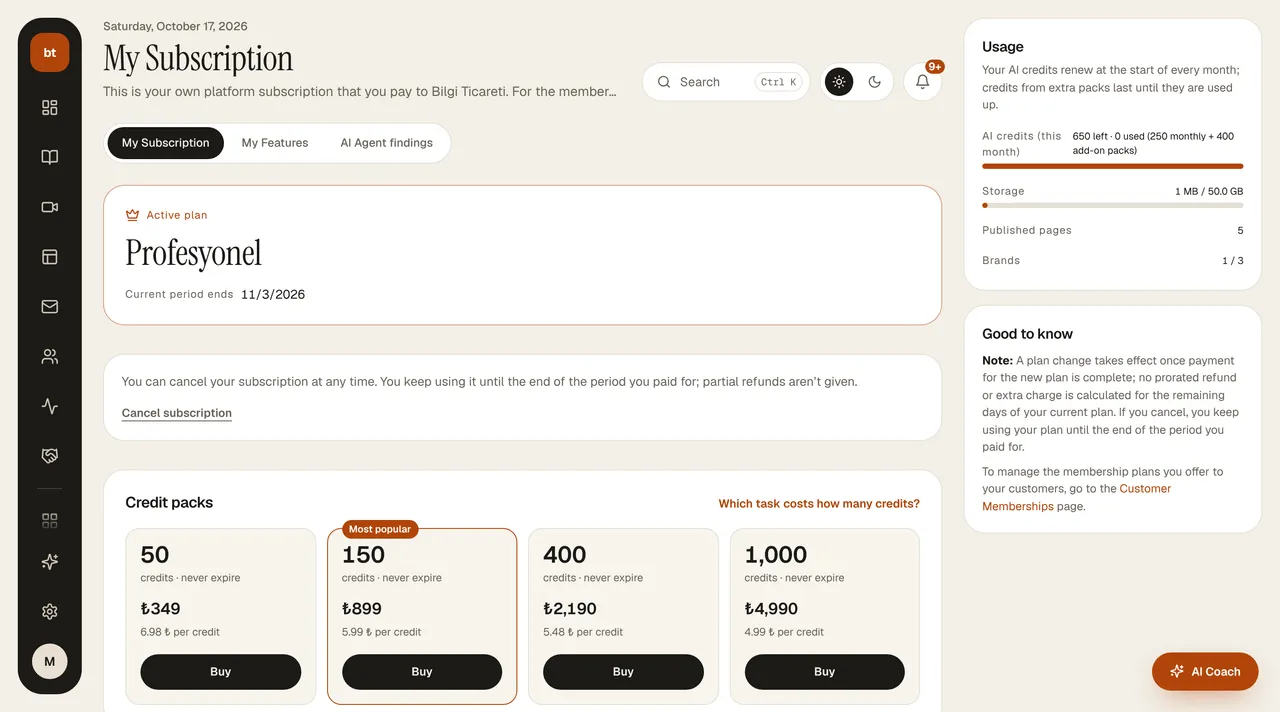
- Changing plans: on the My Subscription screen you choose the new plan and complete the payment. The new plan takes effect immediately once payment is confirmed; its credits and limits open up. No partial refund or credit is given for the remaining days of your old plan.
- When downgrading, none of your content is deleted; however, if you exceed the new plan's limits, you need to get back within the limits before you can publish a new page or open a new course.
- If a payment is late: if your card is declined or the payment can't be collected, your plan doesn't close right away; you have a 7-day grace period, starting from the end of the billing period, to complete the payment. During this time your plan and AI credits stay active; when the period ends, the plan closes and you return to the trial limits.
- Kurumsal plan: works with a price quote; the Contact us button in My Subscription opens the contact form, not a payment window.
- Canceling: at the bottom of the Account › My Subscription page you cancel yourself with the Cancel subscription link; if you change your mind before the period ends, you can click Undo cancellation in the same place. You keep using the plan until the end of the period you paid for; the next period is not charged.
Refund terms are in Subscription, Payment and Refund Terms.