Subscribers and permissions
How your list grows and which emails you can send to whom.
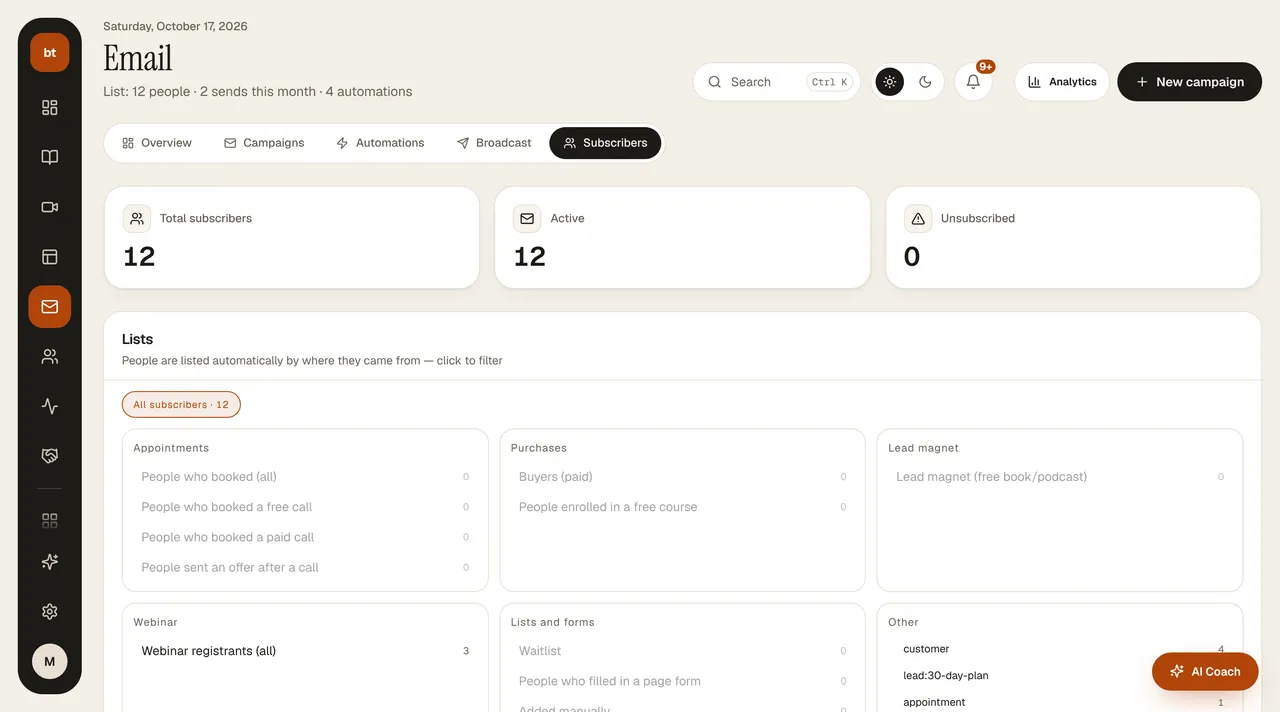
When a form (ebook form, webinar registration, appointment, sign-up) is filled in, the person is added to your subscriber list and the form they came from is recorded as a source tag: ebook, form, webinar, appointment.
Two types of consent
- Privacy notice: required; confirms that they have read how their personal data is processed.
- Commercial electronic message consent: optional. Marketing emails are sent only to people who have given this consent.
Every marketing email has an unsubscribe link at the bottom (Gmail/Yahoo one-click unsubscribe is also supported). By default, a person who unsubscribes leaves only your school's emails of that type; if they want, they can choose to unsubscribe from all of your school's marketing emails or from all schools. A person who has unsubscribed receives only transactional emails (orders, registration, appointments).
List health
- Bounced and complained addresses are removed from the list automatically (BOUNCE / COMPLAINT badge); no further emails are sent to these addresses.
- Importing: when you upload a list by CSV, a declaration that “I have obtained commercial message consent from these people,” along with the source and date of consent, is required; the declaration is recorded on your behalf.
- No marketing email goes to anyone without consent: in announcement and series results, these people are counted separately as “skipped.” If your older lists have no consent record, re-import the list with the declaration.
- An announcement with an empty body is not sent; the announcement goes into an error state and you get an email.